With my new Conditional Access Gallery tool Invoke-DCConditionalAccessGallery in DCToolbox you can pick and choose from any of 25+ available Conditional Access templates included, and the tool will auto-deploy them in your tenant (report-only mode), automatically create all dependencies like groups, named locations, and terms of use agreements, and finally document your new policy design for you.
This is a super fast, yet flexible way to deploy Conditional Access at scale, and get it documented. You will have your new custom Conditional Access pilot live in minutes!

The Conditional Access Gallery is part of DCToolbox, so you need to install/update the module:
Install-Module -Name DCToolbox -ForceAfter that you just run it. It will automatically install all dependencies for you.
Invoke-DCConditionalAccessGalleryAnd then, you just pick and choose whatever policies you are interested in deploying from the interactive menu. You can deploy all of them without risk of affecting productions since it puts all new policies in report-only mode (except for compliance policies, which are set to disabled).
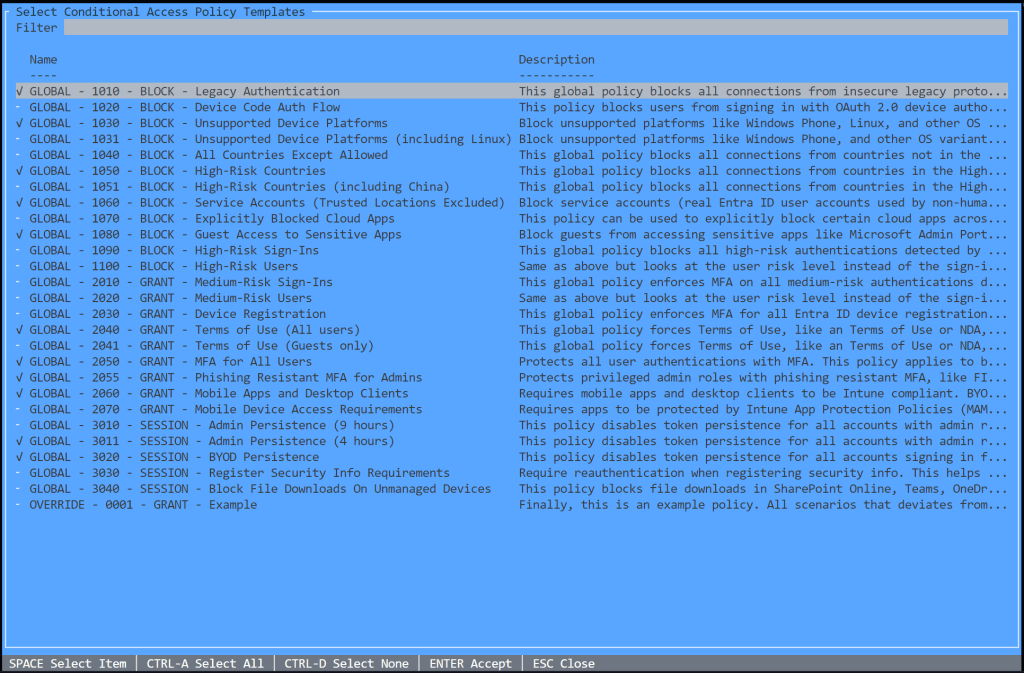
Press Enter and off we go…

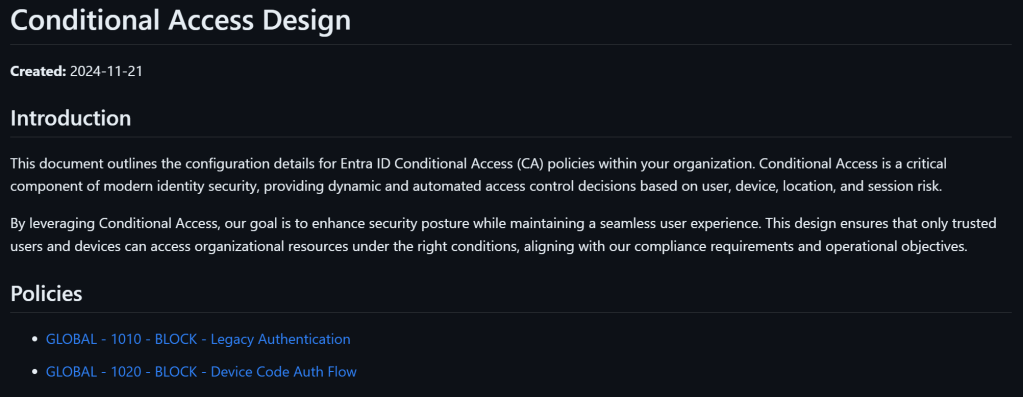
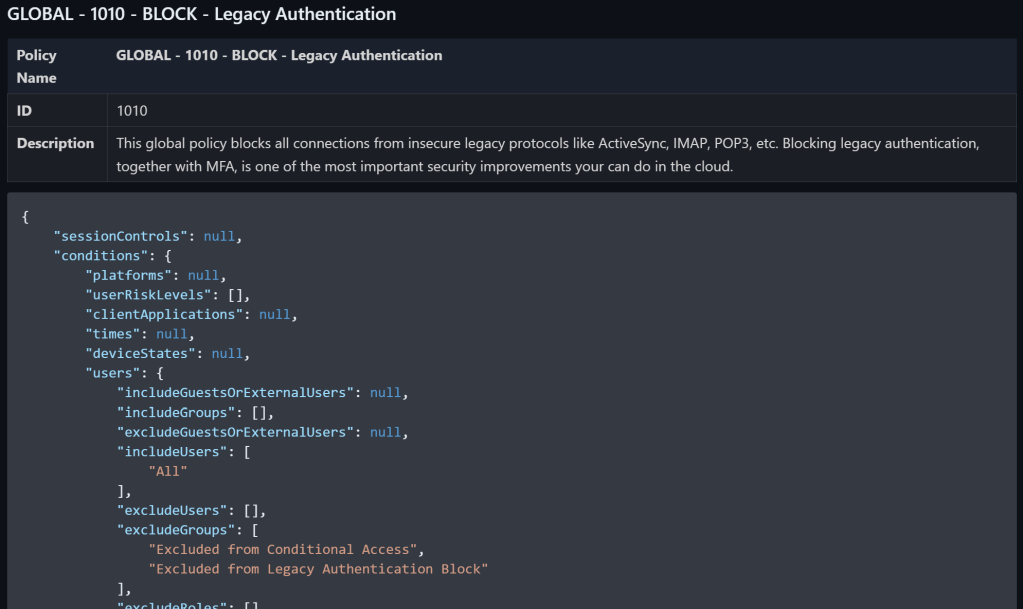
The documentation is saved in Markdown format. I tend to use Markdown more and more since it is flexible but precise in it’s formatting. I tend to edit and preview Markdown with VS Code, and I use an extension in VS Code to export the result to PDF when needed. Here is an example:
It is also possible to add a custom prefix to all the policies like this:
Invoke-DCConditionalAccessGallery -AddCustomPrefix 'PILOT - 'I hope you will find this tool useful, fast, yet flexible. It can help you speed up tests, Conditional Access deployments, incident recovery, and more!
I will add additional policy templates to the Conditional Access Gallery over time!
Good luck!
 Daniel Chronlund Cloud Security Blog